

WiFi 7 explained: What is it, what changes, and what you need for implementation
WiFi 7 (IEEE 802.11be) is the latest generation of Wi-Fi.
It combines higher speeds with noticeably lower latency and more robust connections.
Not only for laptops and smartphones, but also for latency-sensitive applications such as (AR/VR), real-time videoconferencing, and industrial IoT.
That all sounds great, of course, but...what is WiFi 7?
You can read all about it in this blog post.
A small warning: we've gone a bit overboard because we want to provide you with all the important information.
So, it might be a bit technical at times.
Sit back and relax, here we go.
In a nutshell: what is WiFi 7?
Technically, WiFi 7 is the "Extremely High Throughput" amendment (802.11be) to the existing 802.11 family.
These are the key features of WiFi 7:
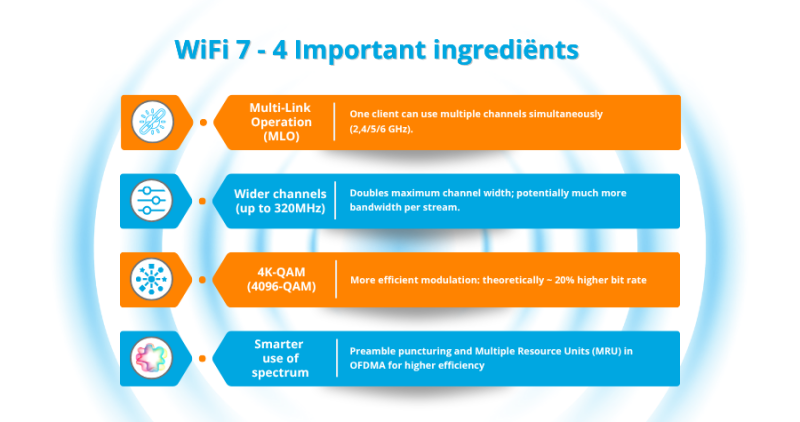
- Multi-Link Operation (MLO): A single client can simultaneously use multiple frequency bands/channels (2.4/5/6 GHz), which increases throughput, reduces latency, and provides resilience (fallback). MLO is a mandatory component of WiFi 7 certification.
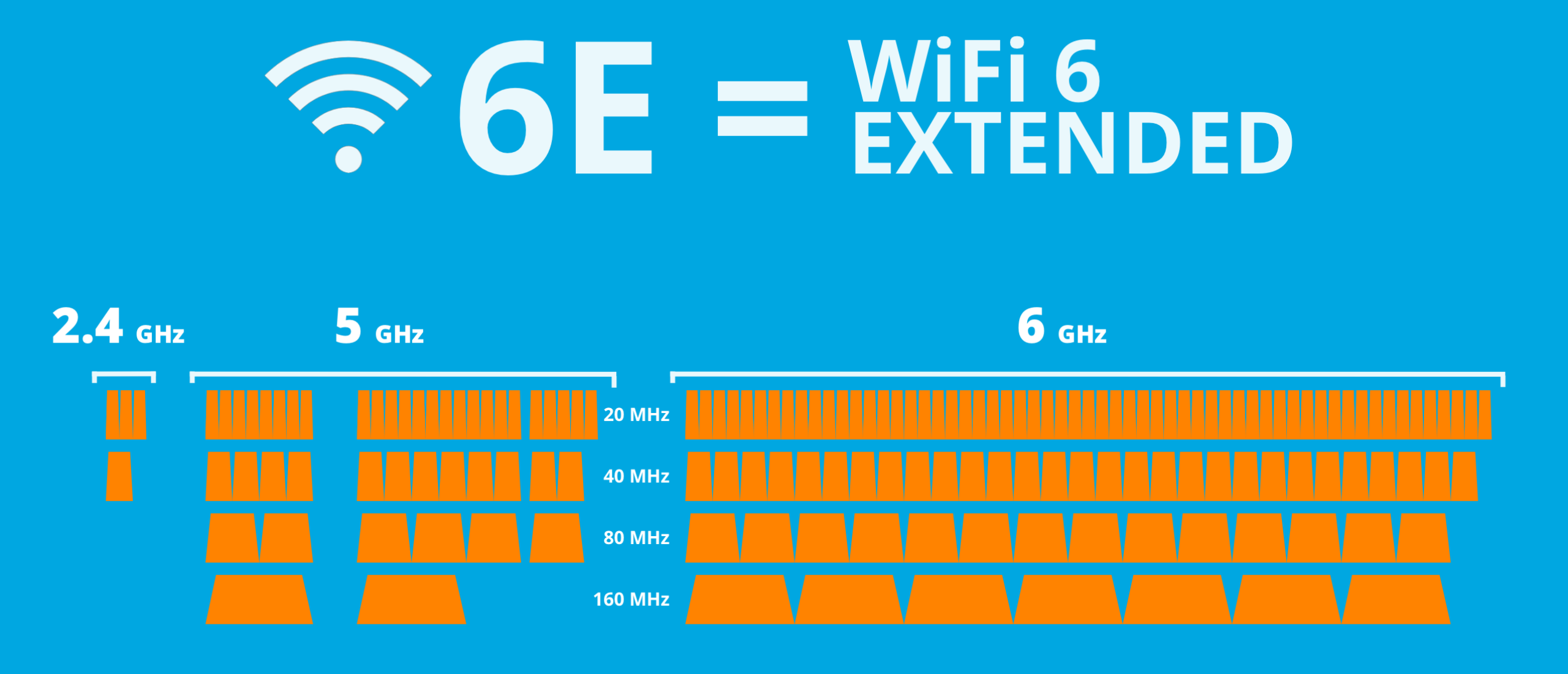
- Wider channels (up to 320 MHz): Doubles the maximum channel width compared to 160 MHz with WiFi 6/6E; potentially significantly more bandwidth per stream. (Deployment depends on your region and channel planning; see below.)
- 4K-QAM (4096-QAM): More efficient modulation; theoretically ~20% higher bitrate compared to 1024-QAM (WiFi 6/6E)—but only in very good radio conditions close to the AP.
- Smarter spectrum usage: including preamble puncturing (puncturing part of a channel instead of dropping the entire channel) and Multiple Resource Units (MRU) in OFDMA for higher efficiency during busy periods.
A practical detail that's often overlooked: the current WiFi 7 ecosystem limits its capabilities to a maximum of 8 spatial streams (not 16), primarily for reasons of implementation complexity and realism in enterprise environments.
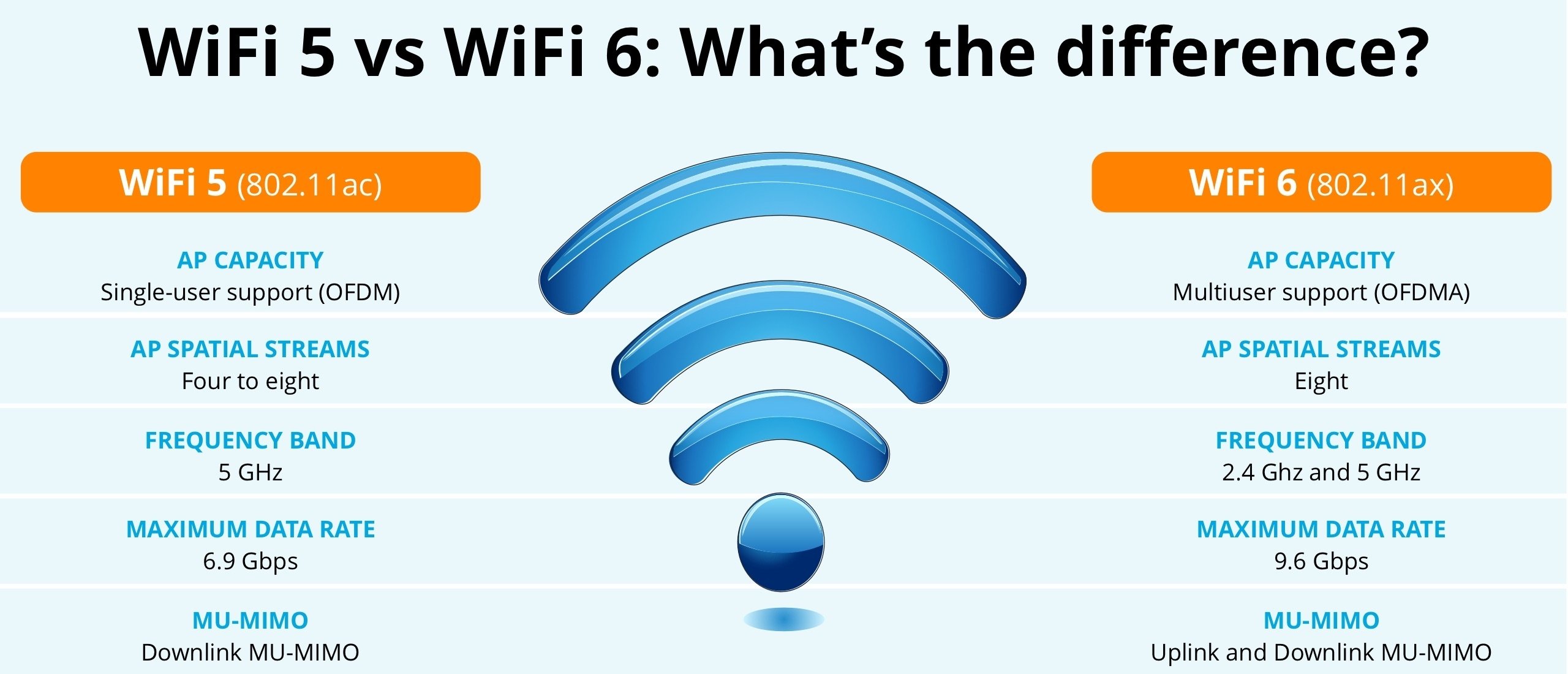
WiFi 7 vs. WiFi 6E: The Real Differences
- 6 GHz Band: Both can operate at 6 GHz. WiFi 7 utilizes 6 GHz better (MLO, 320 MHz, MRU).
- Throughput & Latency: In scenarios with good radio conditions and modern clients, MLO and 320 MHz deliver noticeably more throughput and lower latency than 6E.
- IT Security: For 6 GHz (and for full WiFi 7 features such as MLO), WPA3/Enhanced Open (OWE) is mandatory—good news for security, but this sometimes requires adjustments in SSID/auth design.
EU/NL Specific: What Can Be Done at 6 GHz?
In the EU, the lower 6 GHz spectrum (5945–6425 MHz) has already been harmonized for Wi-Fi (LPI/VLP).
Important: within this range, a single 320 MHz channel is possible, although practical deployment remains dependent on local channel planning and interference guidelines. The future of the upper 6 GHz spectrum (6425–7125 MHz) is still being investigated by policymakers.
Note: "Standard Power" at 6 GHz with AFC (mainly in development outside the US/Canada) is still under study/consultation in the EU; the UK, for example, is investigating standard power at the lower 6 GHz using an AFC system.
What makes Wi-Fi 7 better in real life?
- Higher and more stable throughput thanks to MLO and (where possible) 320 MHz channels.
- Lower latency and jitter thanks to parallel links and more efficient scheduling (MRU).
- Improved resilience: MLO can automatically route or duplicate traffic across links, which helps with congestion or outages.
Drawbacks of WiFi 7 you'll want to know beforehand
- Client support is crucial: without WiFi 7 clients, you'll primarily gain management and capacity benefits. The speed gain per endpoint is less. OS support is growing—Windows 11 (24H2) supports WiFi 7—but enterprise clients sometimes lag behind.
In short, if a client doesn't support the standard, you won't benefit from WiFi 7. - Very high radio requirements for 4K-QAM: ~42 dB SNR and short distances; don't rely on this as a baseline.
- Regulatory restrictions in the EU: only the lower 6 GHz band is open; 320 MHz is theoretically available but not practically deployable everywhere.
- Cost & energy: new APs consume more (often 802.3bt class) and often require multi-gig uplinks; Older switches/PoE budgets can become the limiting factor.
You might wonder what the practical benefit of the increased bandwidth is. Most access points aren't connected to a port faster than 10Gbps, and that's often a challenge in itself.
If most communication then runs via the internet, that connection also becomes a significant bottleneck.
So while a maximum Wi-Fi speed of 46Gbps sounds great, it's not a value we'll see in practice anytime soon.
A reliable connection and lower latency are benefits that matter immediately.
Do you need to upgrade your IT infrastructure to WiFi 7?
Yes... Do you really want to reap the benefits?
Then consider the following key aspects:
- Access points (APs)
Choose tri-band WiFi 7 APs with 6 GHz and MLO support. Pay attention to PoE class and uplink options (2.5/5/10 GbE). Examples from the enterprise line show dual 10 GbE ports and/or mGig for hitless failover. - Switching & uplinks
- mGig (2.5/5 GbE) minimum, 10 GbE recommended for high-end APs or locations with 320 MHz/MLO-heavy usage.
- Use PoE++/802.3bt (60 W) where necessary; some WiFi 7 APs will work with only PoE/PoE+, but with reduced features (e.g., fewer radios or no 320 MHz). - Cabling
- Cat6A is the secure standard for 10GBASE-T up to 100 m and is recommended by TIA guidelines for horizontal cabling to WAPs. (Cat6 typically only reaches 10G up to ~55 m.) - Security & SSID Design
- Plan for WPA3/OWE (mandatory in 6 GHz and for full Wi-Fi 7 functionality).
Consider separate SSIDs or transition profiles so legacy clients can continue operating on 2.4/5 GHz without weakening your 6 GHz network. - Spectrum & AFC (where relevant)
In the US/Canada, "Standard-Power-6 GHz with AFC" is already underway, enabling outdoor coverage and higher EIRP. In the EU, this is still subject to policy/consultations. - Network and RF Design
Site survey for 6 GHz cell size vs. 5 GHz, and a channel plan where 320/160 MHz is only used where truly feasible. MLO helps, but poor channel choices can't fix it.
WiFi 7 - Implementation Checklist (B2B)
In short, before you start implementing your WiFi 7 network, prepare thoroughly.
This checklist may help:
- Inventory clients - do they support WiFi 7/MLO? Are their OS drivers up-to-date?
- Validate PoE budget and mGig/10G uplinks per switch.
- Check horizontal cabling (Cat6A).
- Design SSID/security with WPA3/OWE for 6 GHz; leave legacy on 2.4/5 GHz.
- Create a 6 GHz channel plan; use 320 MHz selectively.
- EU-specific: verify local 6 GHz regulations; Plan for LPI/VLP and keep track of developments around Upper 6 GHz/AFC.
WiFi 7 - Bottom Line
WiFi 7 is more than just "faster": it's an architectural revision (MLO) that makes Wi-Fi more reliable and predictable.
Provided you consider wiring (Cat6A), switching (mGig/10G + 802.3bt), security (WPA3/OWE), and RF planning.
Keep in mind that the vast majority of Wi-Fi clients don't yet support the new standard.
It's literally "ready for the future" and not an immediate (major) difference.
So, start with a pilot program in locations where latency and capacity are most important; this way, you can quickly achieve tangible gains without overhauling the entire infrastructure at once.
👉 Wi-Fi 7 for your organization too?
Wi-Fi 7 isn't just an upgrade; it's a new standard that makes your network faster, more stable, and future-proof. Want to know how to smartly integrate this technology into your organization?
Procyon Networks has been designing, building, implementing, and managing robust, reliable IT networks for a wide range of organizations for over 25 years.
Our experts are happy to help you with tailored advice and a plan that fits your infrastructure.
Contact us and take the step to WiFi 7.
Contactform https://www.procyonnetworks.com/contact/
Phone +31 478 568 586
Mail info@procyonnetworks.nl
Follow Procyonnetworks on LinkedIn and receive valuable weekly updates on cybersecurity and network technology.